
Library
A shelf of PDFs with a reader that marks up the file itself, searches every book, and reads scans on this computer.
One payment, yours to keep. Tax is added at checkout where it applies.
Nothing opened? Install Mecmua first, then try again.
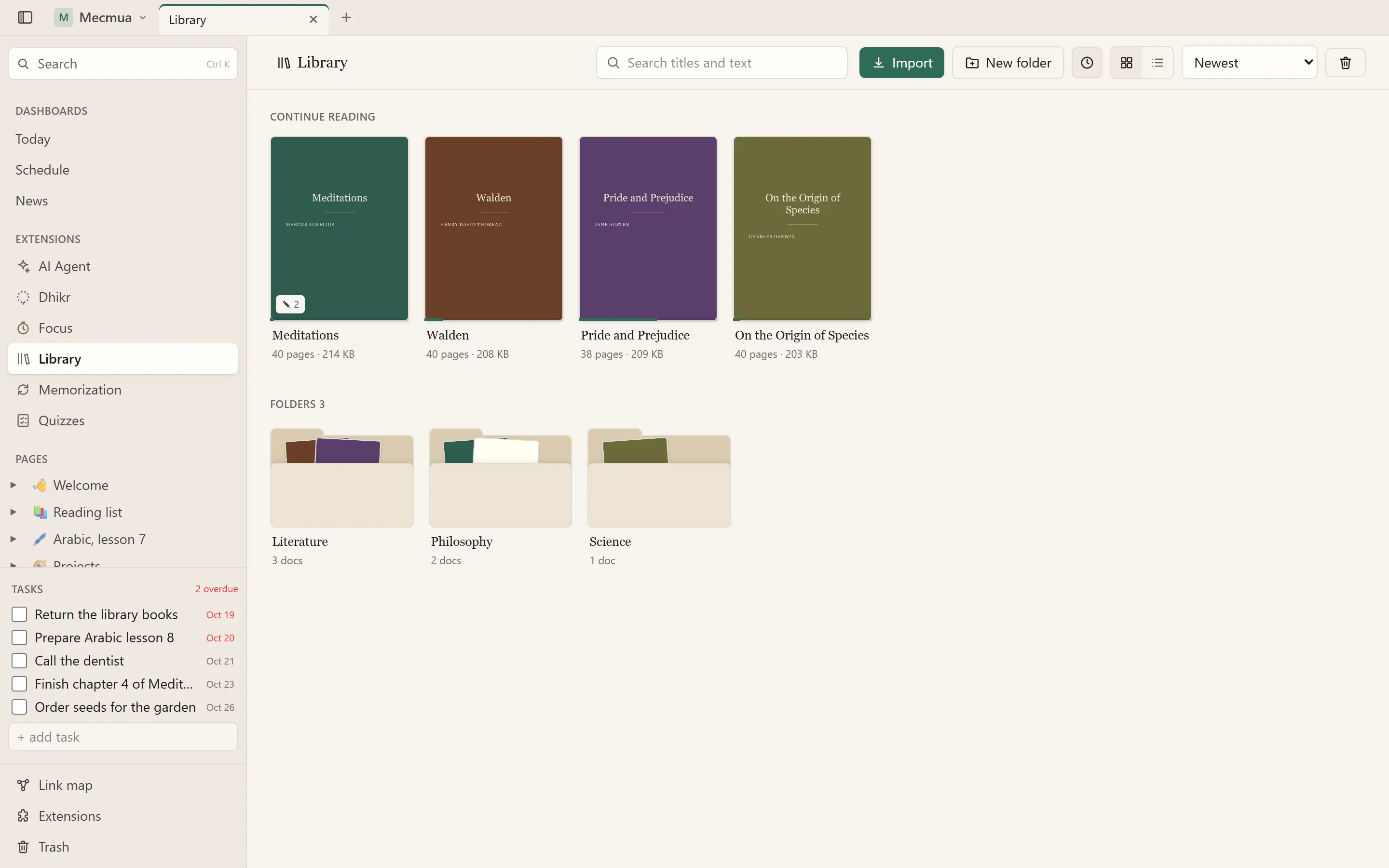
The shelf: folders, covers, and where you stopped in each book
Your PDFs on one shelf, in folders you make, with a reader that remembers where you stopped in every book.
Marks live in the PDF
A highlight, underline, strike-through, pen stroke or note is written into the file as a standard annotation. Nothing about them is kept in a private database, so they show in Firefox, Chrome, Acrobat and Preview too, and a highlight made in one of those shows up here.
Read and search
- Only the pages near the screen are alive, so a thousand-page book stays light
- Ctrl+F finds in the document and ignores accents, Arabic vowel marks and the several shapes of alef
- Page thumbnails, the book's own outline and every mark you made, ready to copy out
- Dark pages, pinch zoom and a remembered reading position
Scans become text
Text recognition runs on this computer with English, Arabic and Turkish models. No book is uploaded anywhere, ever.
Settings
In Settings › Extensions, books can open as you left them or fitted to the width or the page, and you choose the languages ticked when Recognize text opens, so a shelf of Arabic scans starts on Arabic.
Your files, your copies
The first change keeps your upload as original.pdf, and each editing session keeps how the file was before it as a checkpoint you can restore, so nothing is lost to a bad edit. Download with the marks, the original, or the marks flattened into the pages.
At a glance
- Folders of books with covers and the place you stopped
- Highlights, underlines, pen and notes saved inside the PDF
- Full-text search across the whole shelf
- Text recognition for scans in English, Arabic and Turkish, offline
- A pen, a finger or a mouse: marks work on touch screens, with steady pinch zoom
- Settings: books open as you left them or fitted to the page, and the OCR languages you usually need
What changed
- 1.3.0October 21, 2026
- Settings › Extensions: open every book fitted to the width or the page, or as you left it.
- Settings › Extensions: the languages ticked when Recognize text opens, so a shelf of Arabic scans starts on Arabic.
- The settings appear in Mecmua 1.4 and later; everything else works on earlier versions too.
- 1.2.0October 9, 2026
- Turkish: the page speaks Türkçe when you choose it in Settings › Appearance. Needs Mecmua 1.2.
- 1.1.1October 9, 2026
- Fixed: the move, OCR and trash dialogs and the menus crashed the page with a React error.
- 1.1.0October 8, 2026
- On a phone or tablet: steady pinch zoom, and a pen stroke that highlights, underlines or strikes the text it crosses.
- Right-click the shelf for New folder, Import, view and sort.
- The sidebar line can be renamed, moved and given an icon.
- 1.0.0October 2, 2026
- First release.