
AI Agent
Talk to any AI agent from a page in Mecmua: Claude Code, Codex, Gemini CLI, or a model on your own computer.
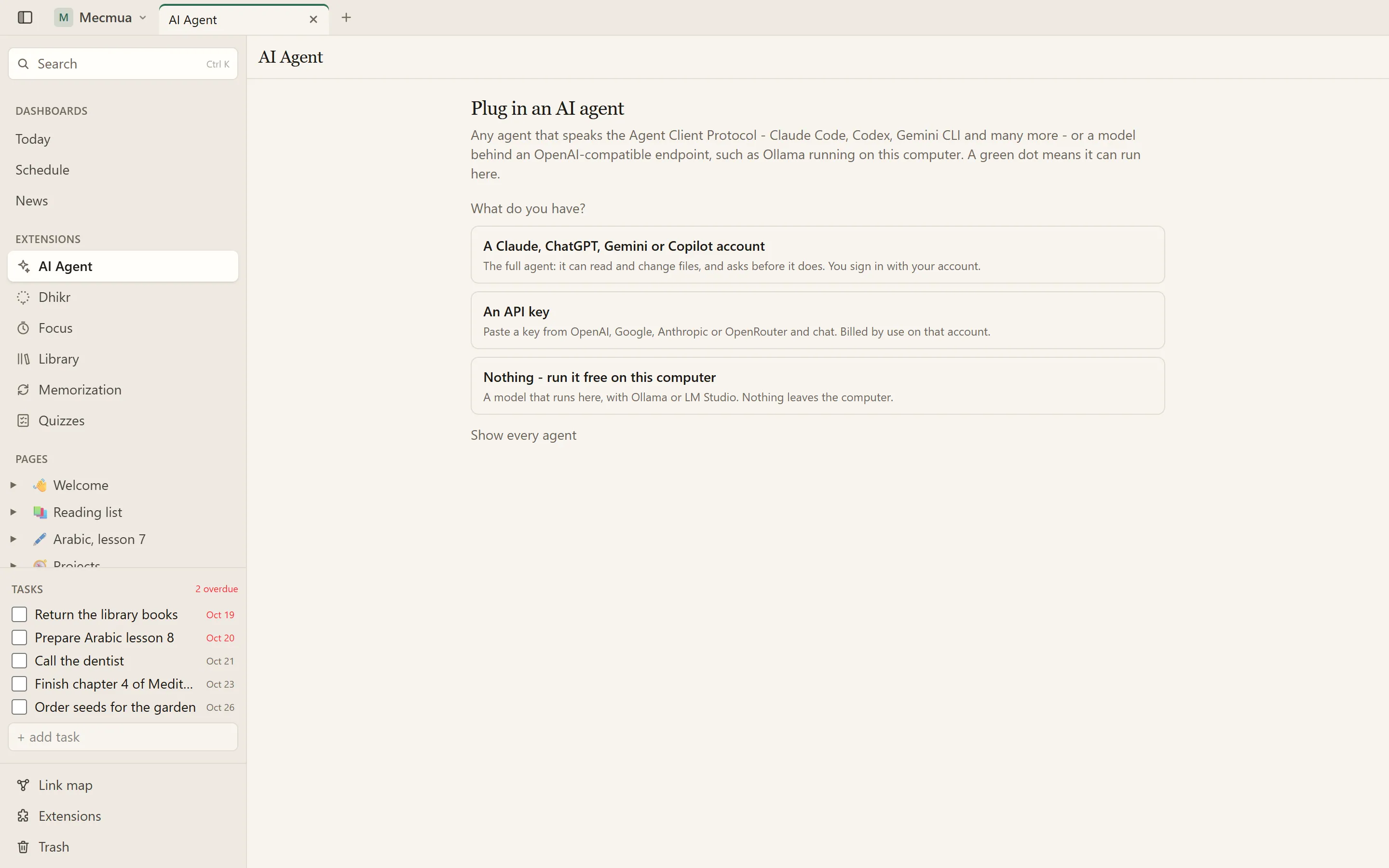
Start from what you have: an account, an API key, or nothing
Your AI agent, as a page in Mecmua instead of a terminal window. Plug one in, ask, and watch it work.
Easy to connect
The first screen asks what you have: a Claude, ChatGPT, Gemini or Copilot account, an API key, or nothing at all (a free model on your own computer). It shows only the agents that fit, with the steps in order. Agents that need Node.js install themselves with one click, and a login that needs a terminal opens in a window of its own.
Two ways to plug one in
- An ACP agent. The Agent Client Protocol is what Claude Code (through its adapter), Codex, Gemini CLI, Copilot, OpenCode, goose and many others speak. Pick one from the list, or add your own command. Tool calls, plans, reasoning, permission prompts and sign-in all show on the page.
- An OpenAI-compatible endpoint. OpenAI, Gemini, Claude or OpenRouter with a pasted API key; Ollama, LM Studio or any server with a
/v1/chat/completionsaddress. It is a conversation, without tools, and it can run entirely on your own computer.
Yours to steer
The agent's own settings, such as model, mode and effort, become pickers on the page. Approve or refuse each tool it asks to use, stop a turn, start afresh or resume an earlier session. Choose the folder an agent works in.
What it keeps, and what it sends
Mecmua only starts the agent and shows you what it says. What the agent itself sends, and to whom, is up to the agent and its terms: a model on your own computer sends nothing anywhere, an agent from a provider talks to that provider. Mecmua adds no account and no tracking of its own.
Other extensions can use it
The Quiz asks its questions through the agent you set up here. An extension that needs an agent says so on its page.
At a glance
- Starts with one question, what do you have? An account, an API key or nothing, and shows only the agents that fit
- Claude Code, Codex, Gemini CLI, Copilot, OpenCode, goose and the rest of the ACP registry; Mecmua installs them for you, no Node.js needed
- Chat with OpenAI, Gemini, Claude or OpenRouter by pasting an API key, or with Ollama and LM Studio on this computer
- Tool calls, plans and permission prompts, with the agent's own choices as pickers
- Resumes earlier sessions, and the conversation keeps going when the phone is closed
What changed
- 2.3.0October 21, 2026
- Easier to connect: the first screen asks what you have (an account, an API key or nothing) and shows only the agents that fit, with the steps in order.
- Agents install with one click and need no Node.js: Mecmua downloads what it needs into its own folder.
- New API-key cards for OpenAI, Gemini, Claude and OpenRouter, each with a link to the page where the key is made.
- A login that needs a terminal opens in a window from a button, instead of asking you to type a command.
- Errors say what went wrong and what to do, and the buttons say Try again.
- 2.2.0October 9, 2026
- Turkish: the page speaks Türkçe when you choose it in Settings › Appearance. Needs Mecmua 1.2.
- 2.1.1October 9, 2026
- Fixed: Add an agent and the other dialogs crashed the page with a React error.
- 2.1.0October 8, 2026
- The first release of the AI Agent for everyone; it grew out of the Claude page.
- Other extensions, such as the Quiz, can ask the agent you set up here.